

The Kenya Revenue Authority (KRA) came up with perhaps what can be described as one of the best inventions in revenue matters in simplifying the filing of tax returns. Kenyans can now file their employment income through a chat with Shuru, a WhatsApp Chatbot by the revenue body.
And the process is easy and seamless. No accounting skills needed. Here are the steps:
Step 1: Salutations
Save 0711 099 999, refresh your WhatsApp contacts, and say: “Hi.”
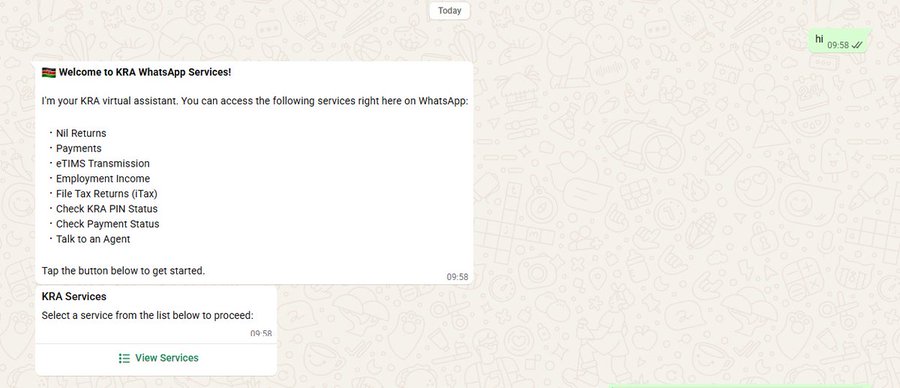
After salamu, Shuru will guide you straight to the filing process. No time wasted:
From there:
-
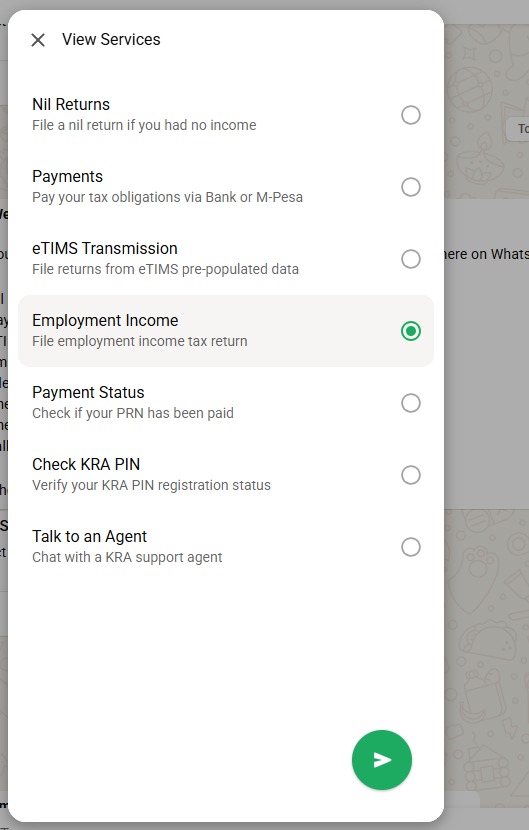
Tap View Services
-
Select Employment Income
Step 2: Verify It’s You
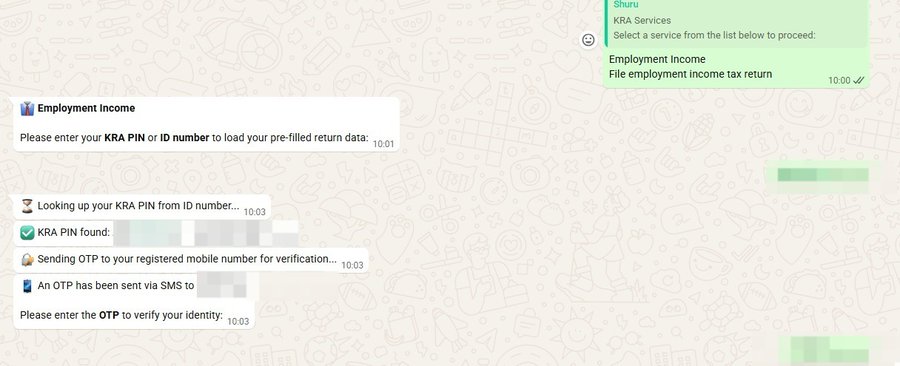
Enter your KRA PIN or National ID
To keep your information secure, Shuru will send a One-Time Password (OTP) to your registered mobile number.
Enter the OTP on WhatsApp to continue.
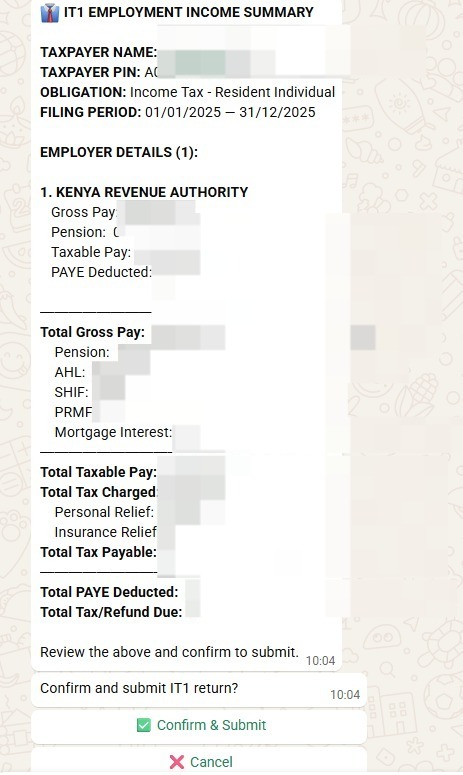
Once verified, Shuru will automatically generate your IT1 Employment Income Summary
This lets you review your details before submitting.
Step 3: Confirm & Submit
Take a quick look through your summary.
Everything okay? Tap
Confirm & Submit
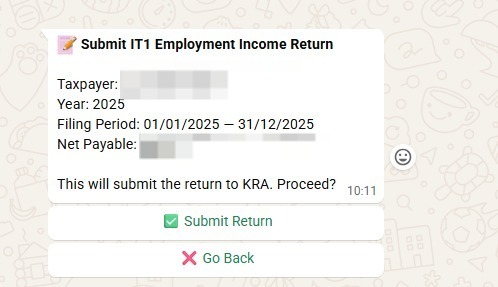
You’ll then receive a confirmation message once the filing is successful.
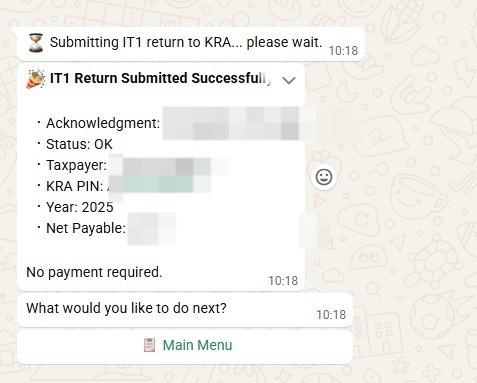
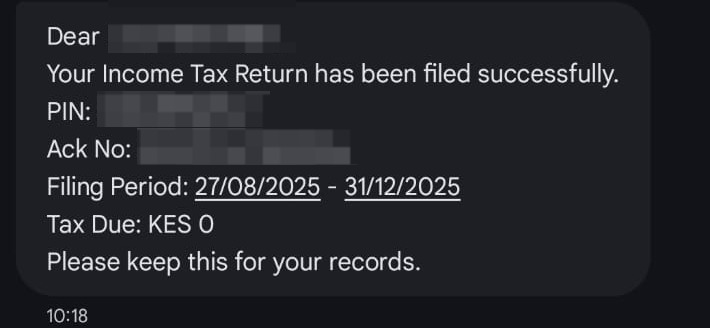
And just like that, you are done.
Related Content: 7 Million Taxpayers Carry The Tax Burden For 22 Million Kenyans: Why KRA Is Expanding The Tax Net